Create a company and link a person
A company represents the organization you prospect. A person represents your contact; linking them preserves the relationship context.
Before you start
Open the correct workspace with contact editing rights. Prepare known information without inventing missing contact details. French interface sections are Entreprises and Personnes.
Steps
- In Entreprises, search the name and domain before creating a record. Enter identity and useful contact details.
- In Personnes, search for the contact before creating them, then enter known details.
- Link the person to the correct company and record their job function when known.
- Check the preferred contact and any contact objection before preparing a call or another activity.
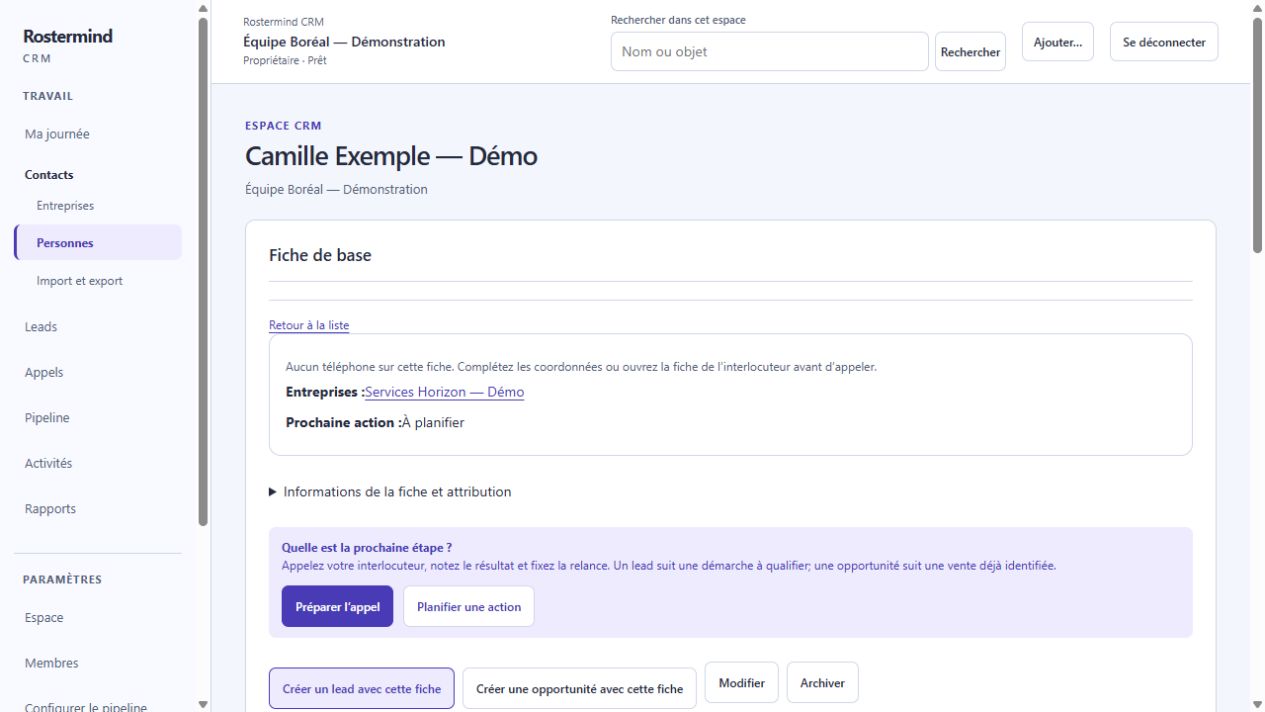
Actual French screenshot, staging, October 17, 2026. The workspace and demonstration records are entirely fictional.
On the person’s record, open Relations → Ajouter une relation → Choisir une entreprise. Find the company, enter a stable role code and its display name, then choose Enregistrer. Check that the company appears under Relations; reload the record if the top summary has not refreshed.
Example and expected result
Phone labels in the CRM web interface
In the CRM web interface, the existing Téléphone column, contact details and call summary show each stored number with its known use:
- Général de l’agence: reception or the agency switchboard; ask for the named contact.
- Téléphone avec poste: dial the number, then use the displayed extension, such as poste 201.
- Cellulaire du contact: a mobile explicitly identified by its source. A mobile stored on a company record is labelled Cellulaire — fiche entreprise.
- Téléphone partagé or Téléphone — type à préciser: the number is shared or its type remains unknown; do not treat it as a personal mobile.
The original label remains visible. On a person, keep a known extension in Libellé, for example Téléphone · poste 201; use Cellulaire professionnel only when confirmed. Company and person numbers stay on their own records. A number’s area code does not identify its type; “mobile non établi” does not establish a mobile.
Before calling, check both the record owner and the chosen number in Appels. These labels do not prove reachability or permission to contact.
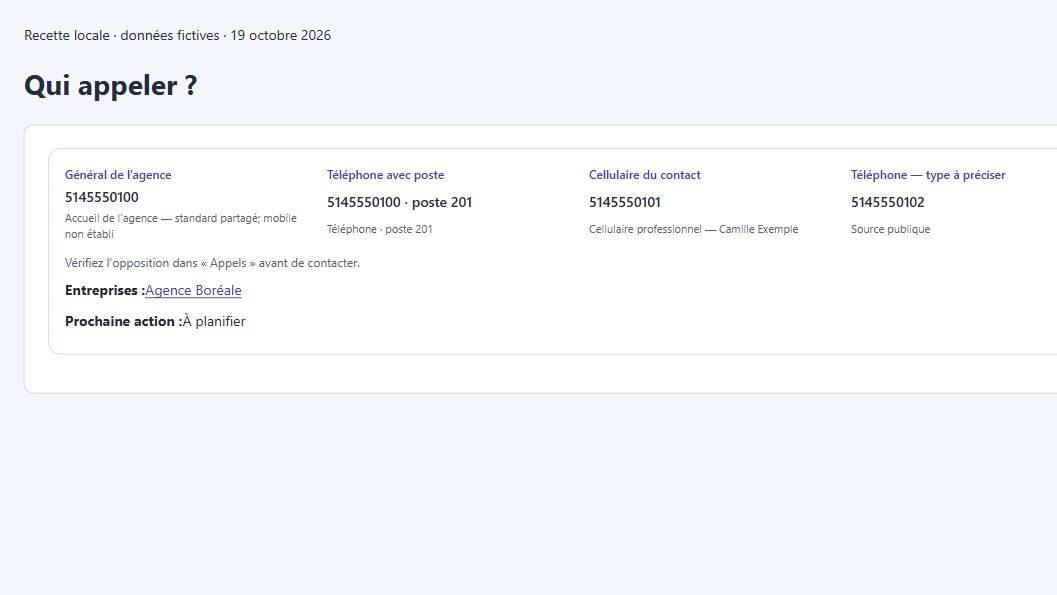
Actual French component, rendered locally on October 19, 2026 with fictional data.
Fictional example: “Boreal Services” is the company and “Camille Example” is its purchasing contact. Their relationship identifies whom to call without turning Camille into a second company.
If something goes wrong
Similar names do not authorize automatic merging. Check possible duplicates and the linked company. Do not fill missing details with invented values. Respect a contact objection even when a phone number is technically usable.