Create your first CRM workspace
A Rostermind CRM workspace groups a team’s contacts, sales and activities. It is separate from your Rostermind Operations organization.
Before you start
Sign in to CRM with your account. If your team already has a workspace, request access instead of creating another. Create prospects as records, not as new workspaces. Verified French interface labels are retained below.
Steps
- From your workspaces, choose Créer un espace and enter a name your team will recognize.
- Open Langue, fuseau horaire et devise to review language, time zone and currency.
- Confirm Créer l’espace. While En préparation is shown, wait and use Actualiser l’état. CRM may then open Ma journée automatically.
- If you are in the workspace list, select Ouvrir l’espace when its state is Prêt. In the open workspace, check the name, role and data access before creating your first contact.
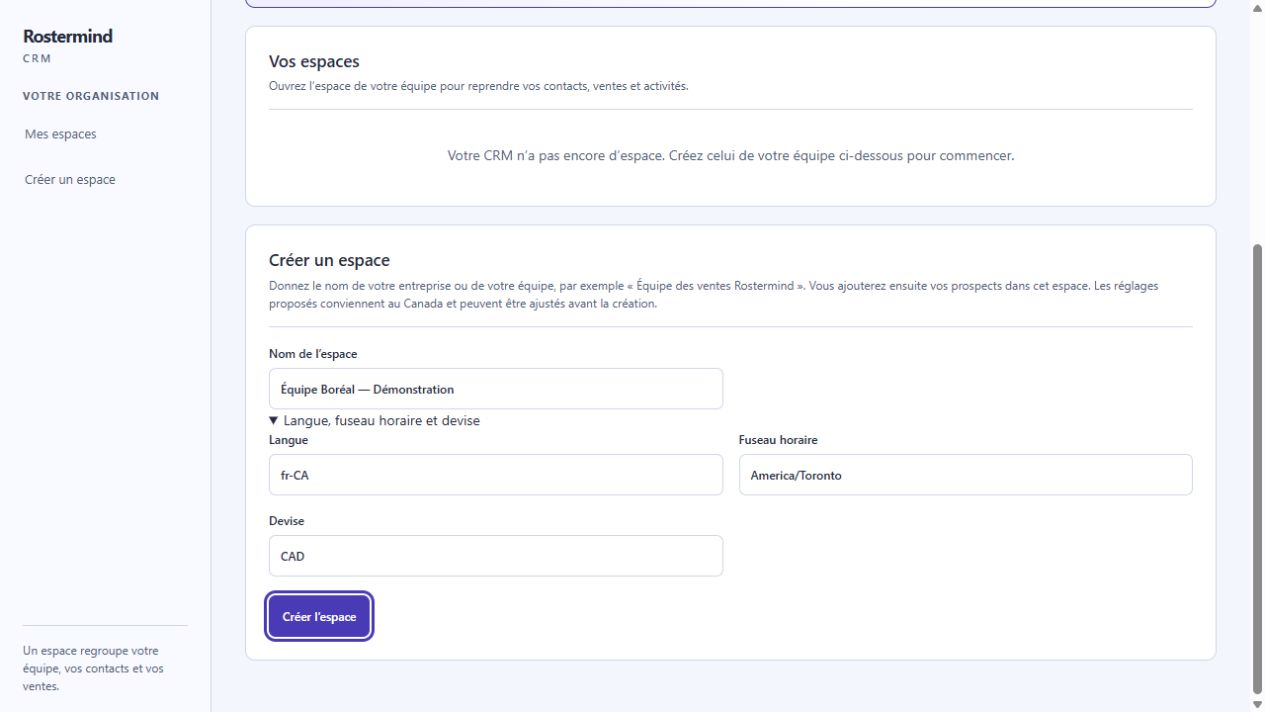
Actual French screenshot from the staging test environment, October 17, 2026. Your organization’s permissions and deployed version may produce a different view. “Équipe Boréal — Démonstration” is only entered in the form; no workspace was created for this screenshot.
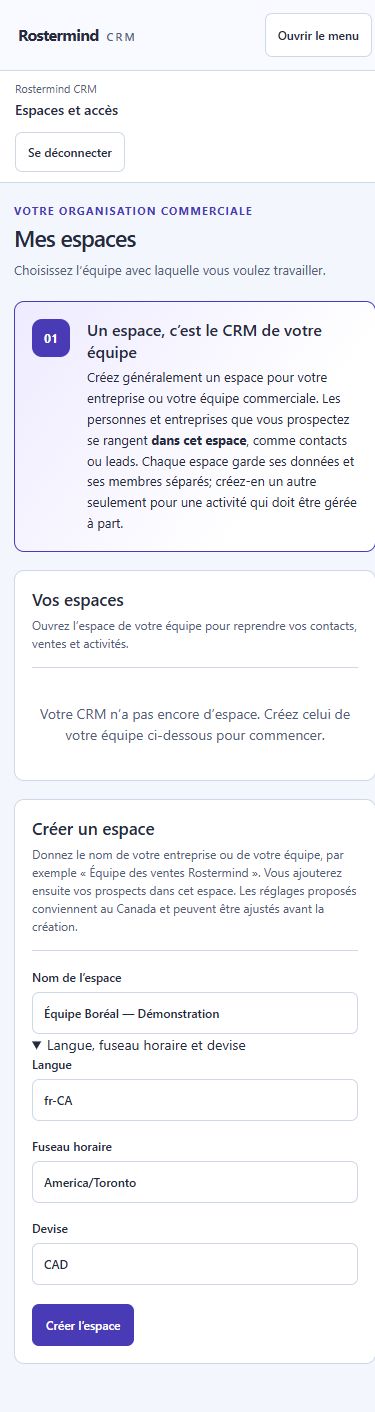
The same CRM form in a 390 px window. Fields stay within the page width. “Équipe Boréal — Démonstration” is only entered in the form; no workspace was created for this screenshot.
Example and expected result
Fictional example: “Boreal Team” uses one workspace for its contacts and opportunities. It does not create a separate workspace for every client. Separate workspaces do not automatically share data.
If something goes wrong
If preparation is interrupted, use Réessayer la préparation when offered. Do not create duplicate workspaces to work around a delay. Prêt means preparation is complete; data access still depends on your role and active CRM rights.