Use CRM on a phone and check its version
The screenshots describe CRM Web in a phone-sized window. An installed app may use different destinations and depends on its version; do not assume automatic Web parity.
Before you start
Use the CRM address provided by your organization and your authorized account. Open the correct team workspace. Operations access or its app does not create CRM workspace membership.
Steps
- In the narrow Web view, use Ouvrir le menu to find work categories. Check workspace name and role before entering information.
- In Ma journée, read the priority action and date, then open the task or linked record. Check filters before treating a list as empty.
- Search Entreprises or Personnes and review relationships. Keep the correct workspace while changing destinations.
- In Pipeline, open the sale and check its stage and next action. Read the result after saving; closing a screen alone does not prove a save.
- For an installed CRM app, confirm provenance, version and environment with your responsible contact. Use commands actually present; Web guides do not certify another binary’s features.
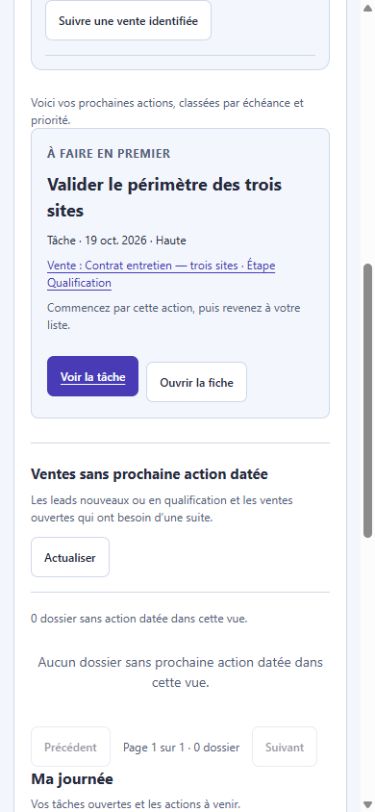
Actual French screenshot, staging, October 17, 2026, 390 px window. Fictional records. This Web view does not certify a native app or every device.
Example and expected result
Fictional example: in Équipe Boréal — Démonstration, Ma journée shows Valider le périmètre des trois sites, due October 19. The manager opens the linked sale before preparing the conversation. This Web consultation proves neither a native call nor offline availability.
If something goes wrong
For a missing command, check product, workspace, permissions and version before recreating a record. Retry or read the state after a loading error; do not switch workspaces to create a duplicate. Calls, audio and notifications require their own availability; a phone view alone does not certify them.